Prepare your show. Control it from any device.
F&R Marker builds the Ableton Live session from your setlist. F&R Live puts songs, markers, pads and mixer in your hands while you play.
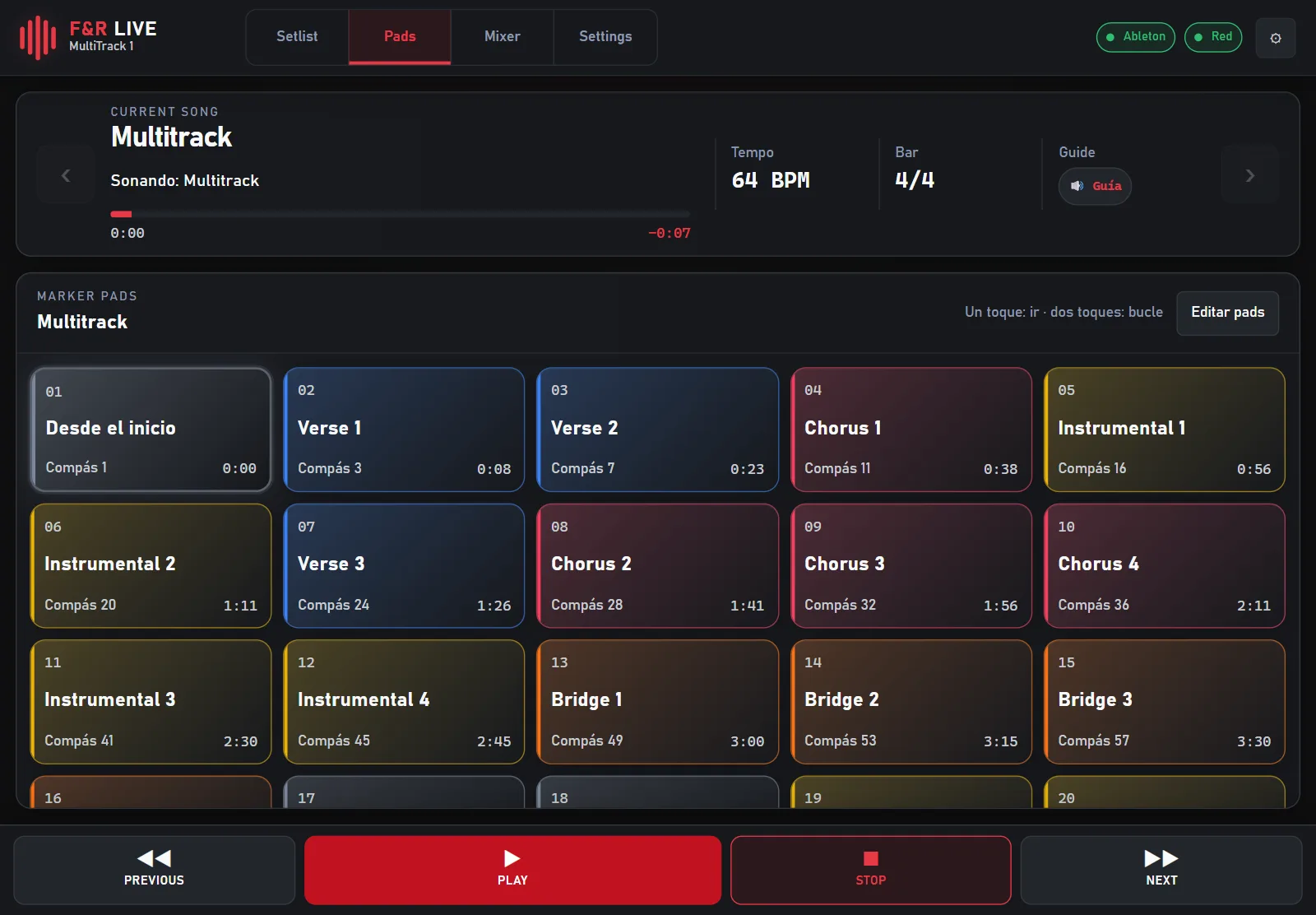
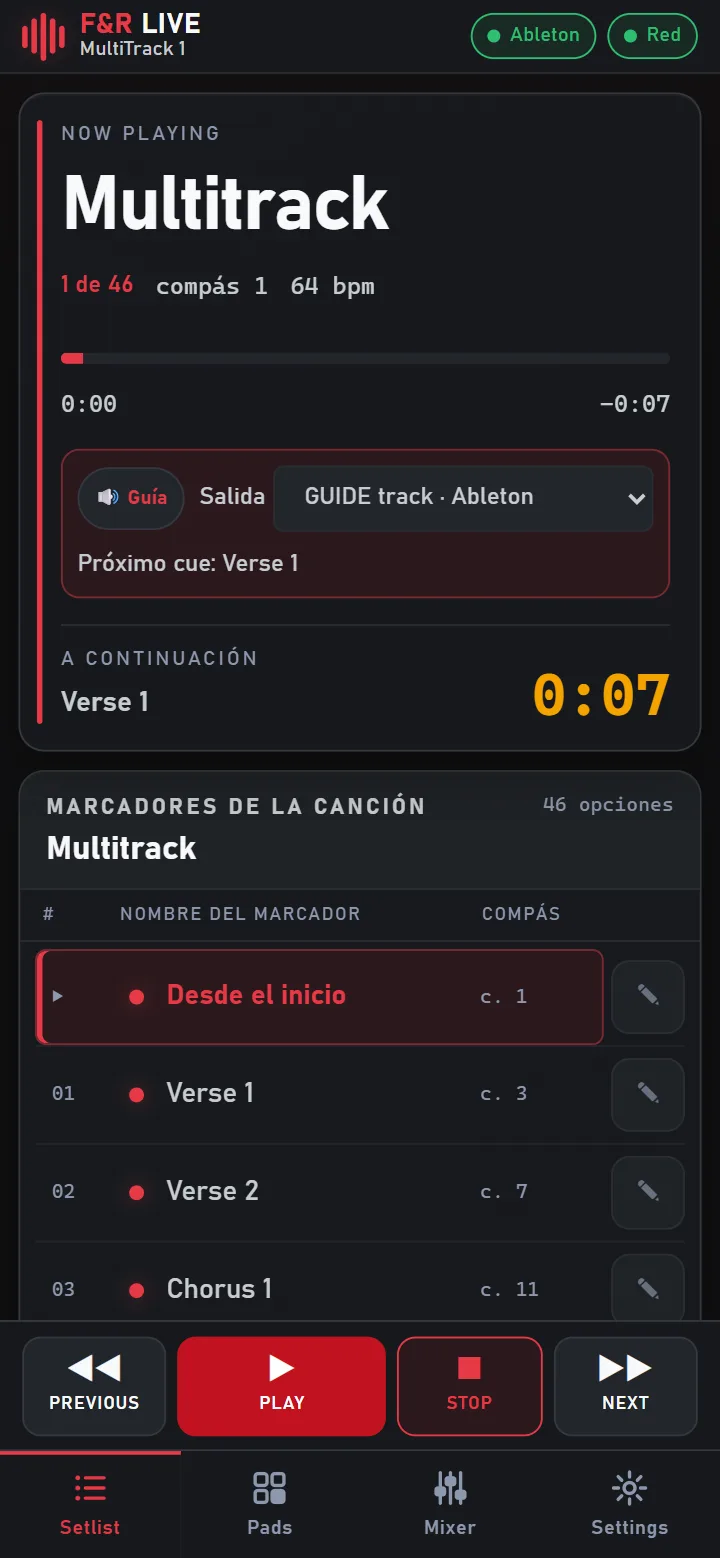
Real screenshots. F&R Live connected to Ableton Live 12.
Two apps. One workflow.
Use them together or on their own. Each one is sold and licensed separately.
F&R Marker
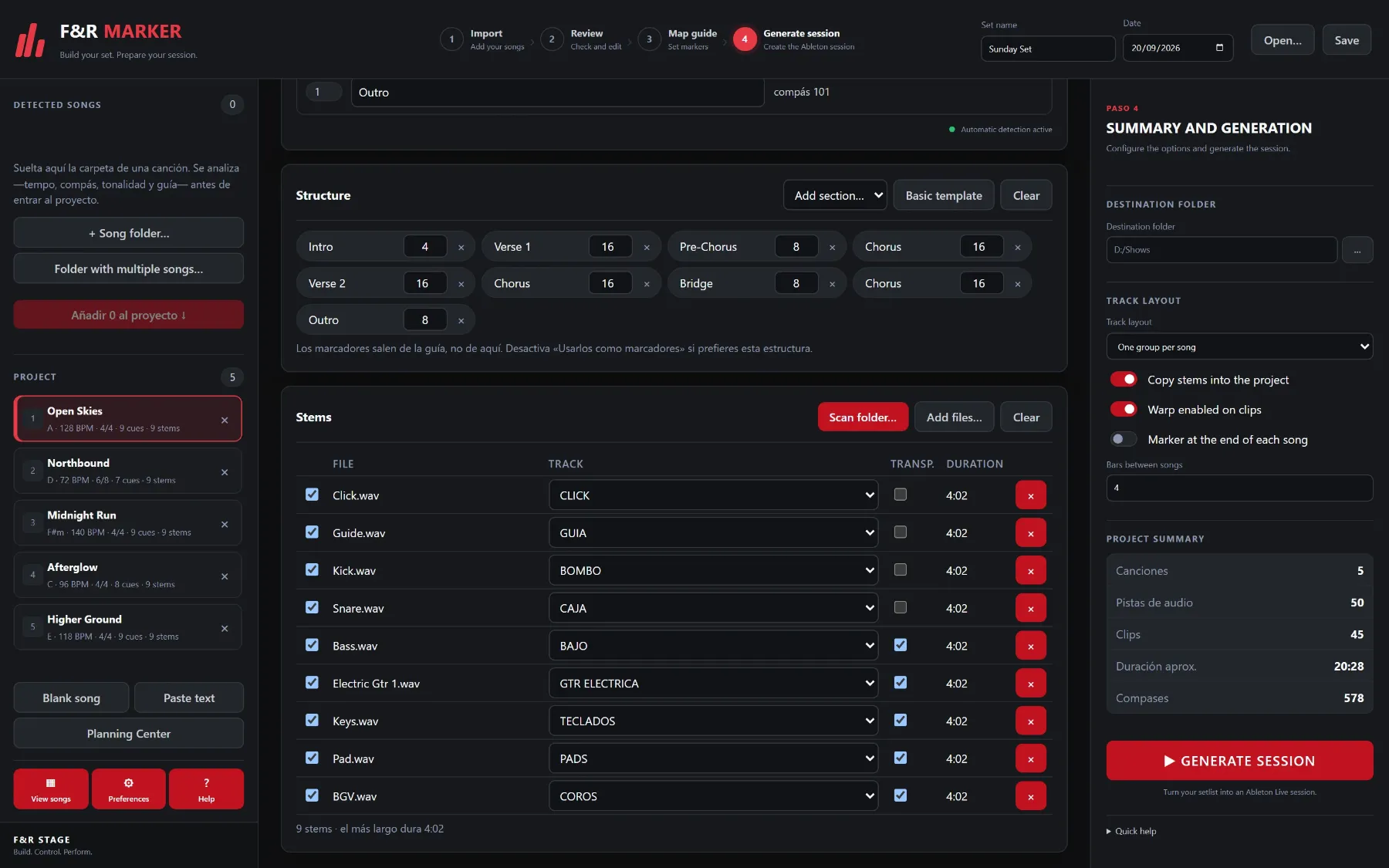
Turn a setlist into an Ableton Live session with songs in order, tempo, markers and stems already in place.
Learn more →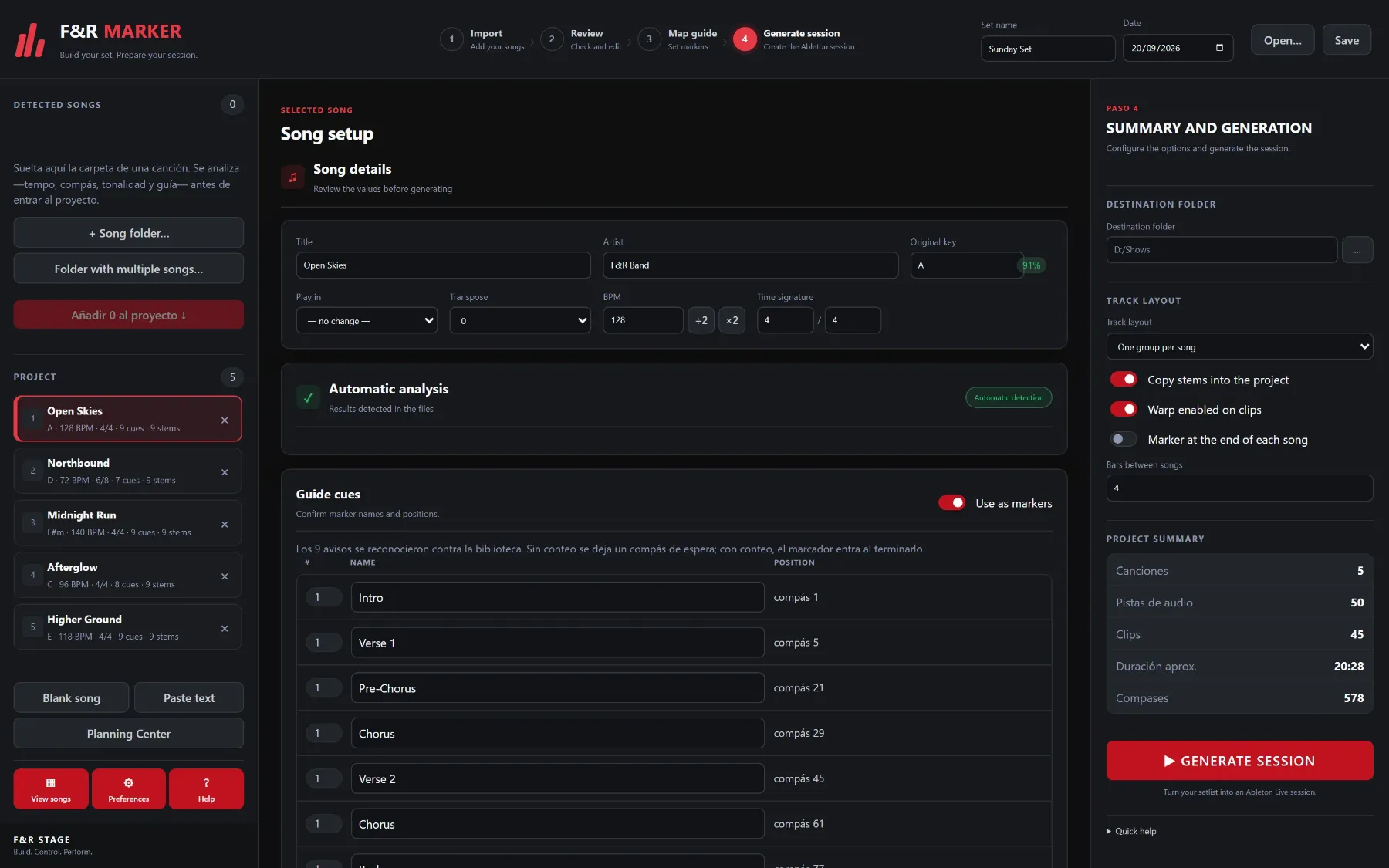
F&R Live
Run the set from a phone, tablet or computer: songs, sections, pads, guide cues and mixer, without touching the laptop.
Learn more →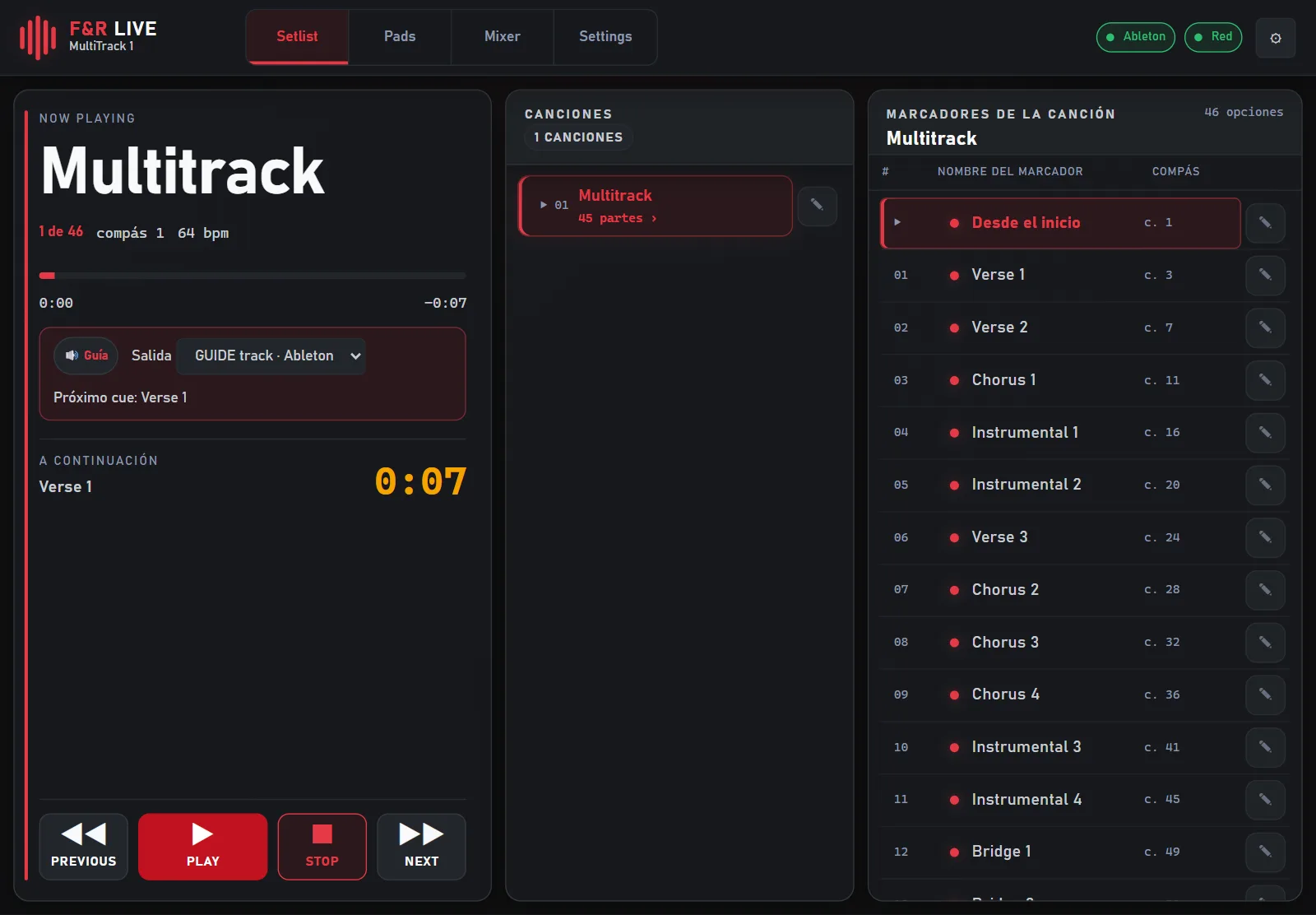
Build your set. Prepare your session.
From a folder of multitracks to an Ableton Live session you can open and rehearse.
Your setlist becomes the arrangement
Songs land one after another in the Arrangement View, each with its own tempo and time signature, and the bars of silence you choose between them.
- Tempo, meter and key read from the filesDrop a song folder and F&R Marker analyzes it before it enters the project. Review the values, change the key to play in and transpose the melodic stems.
- Import from Planning Center or paste a listBring in a service plan, or paste one song per line with its key and BPM in any order.
Stems sorted into named tracks
Click, guide, drums, bass, guitars, keys and vocals are recognized by name and grouped by family, one group per song or one shared track per instrument.
- Guide cues become markersThe spoken cues in the guide track are detected and placed as markers where the section starts. Rename them, confirm them, or use your own structure instead.
- It never overwrites your workF&R Marker writes a new project and stops there. If a session with that name exists, the new one is numbered instead of replacing hours of mixing.
Control the moment.
A stage remote for Ableton Live that runs in the browser of the devices you already have.
Phone, tablet or computer
Scan the QR code on the computer and open it in the browser. No app to install on the device, and no internet connection: everything stays on your local network.
- Only who you approve can control itNew devices ask for permission first, and you decide whether each one can control the show or only watch it.
Marker pads
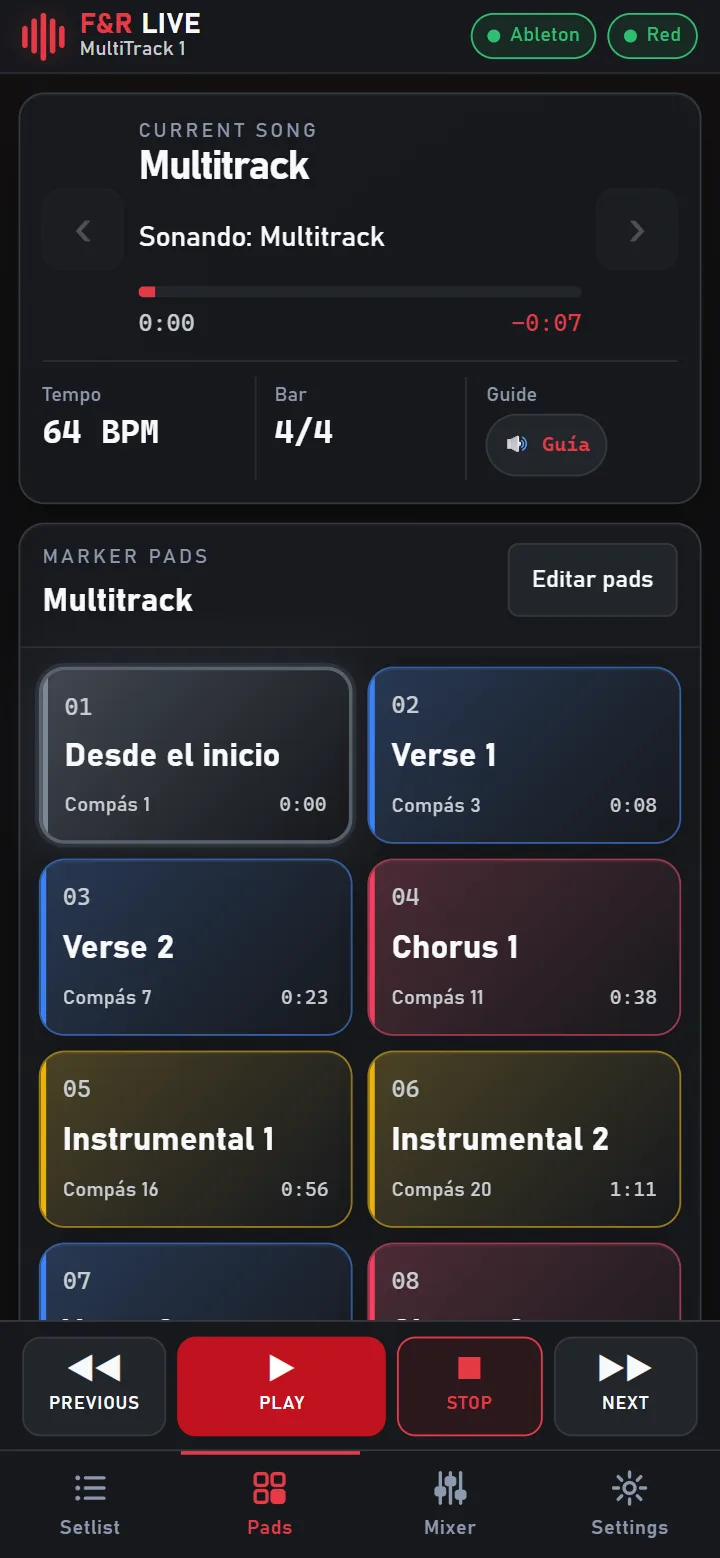
Every section of the song as a big colored pad. One tap jumps there, two taps loop it, so the band can stretch a chorus when the moment asks for it.
- Now playing, and what comes nextThe current song, bar and tempo in large type, the next section with its countdown, and every marker of the song one tap away.
Mixer in your hand
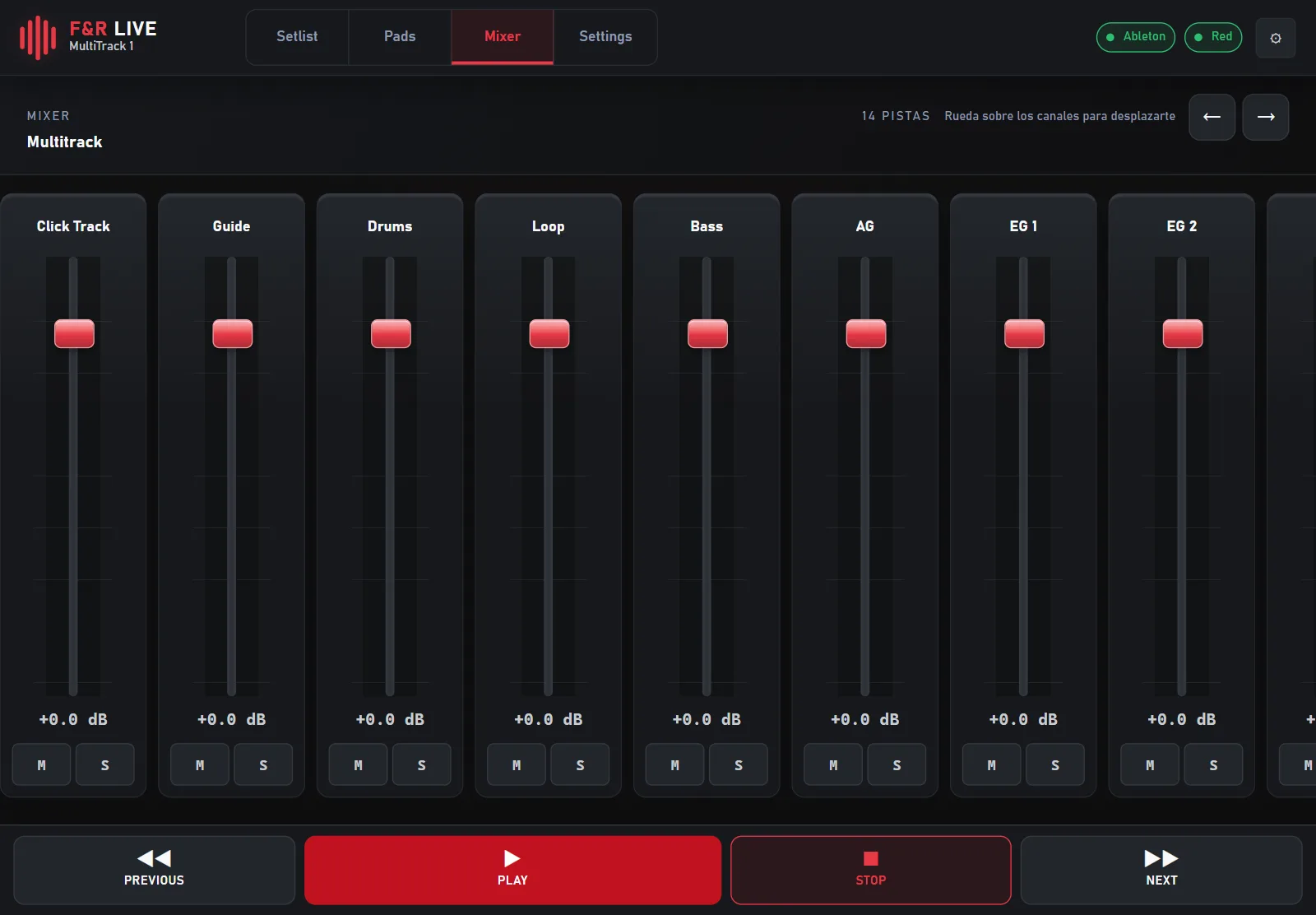
Faders, mute and solo for every track of the set, to bring the click down or pull a stem out without walking to the laptop.
- Built-in guide cuesSpoken cues announce the next section on the guide track, recorded voices in four languages, sent to the output you choose in Ableton.
From setlist to stage in three steps
Import your songs
Drop song folders into F&R Marker, or bring the plan from Planning Center.
Generate the session
Review tempo, key and markers, then write the Ableton Live project in one click.
Play it from any device
Open the session, start F&R Live and drive the show from the stage.
Made for the people who run the show
Musical directors, playback operators, bands and worship teams.
Pay once
No subscription, no monthly seat, nothing to renew.
Try it first
3 days of Marker and 7 days of Live, free. No card, no account.
Works offline
F&R Live runs on your local network. The venue Wi-Fi can go down and the show goes on.
Your projects stay yours
When a trial ends nothing is deleted: sessions and settings stay where they are.
Windows and macOS
Installers for Windows and for Mac, Apple Silicon and Intel.
Four languages
English, Spanish, French and Portuguese, in the apps and on the guide voice.
Try it before your next rehearsal
Install it, load one of your own sets and see how it behaves. No card, no account, nothing to cancel.
F&R Marker
Turn a setlist into an Ableton Live session with songs in order, tempo, markers and stems already in place.
F&R Live
Run the set from a phone, tablet or computer: songs, sections, pads, guide cues and mixer, without touching the laptop.
Pay once. Keep it.
Launch prices. One-time payment per computer, no subscriptions.
F&R Marker
Build your set. Prepare your session.
One-time payment
- 1 F&R Marker license
- Import song folders and multitracks
- Setlist organization
- BPM detection and analysis
- Time-signature detection
- Key information
- Stem management
- Click and guide track identification
- Guide cue detection
- Marker editing and organization
- Song-change preparation
- Project configuration
- Session preparation for Ableton Live
- Workflow integration with F&R Live
Not available for online purchase yet.
F&R Live
Control the moment.
One-time payment
- 1 F&R Live license
- Setlist view
- Song navigation
- Marker access
- Musical section control
- Current song information
- Tempo display
- Built-in guide system
- Controls designed for performance
- Configurable marker pads
- Move forward and back between songs
- Works with sessions prepared in advance
- Integration with F&R Marker
Not available for online purchase yet.
F&R Marker + F&R Live
Build your show. Control your show.
- Includes 2 separate licenses:
- 1 F&R Marker license
- 1 F&R Live license
- Each application activates on its own
- Each application keeps its own trial period
Frequently asked questions
Is this a subscription?
No. F&R Marker and F&R Live are sold as one-time purchases.
How long are the free trials?
F&R Marker includes a 3-day free trial and F&R Live a 7-day free trial.
Do I need Marker to use Live?
No. Each one works on its own, although they are designed to work together.
Does the software include Ableton Live?
No. Ableton Live is a separate product, sold by Ableton AG.
What if I change computers?
Your key is tied to the computer it was issued for. Write to us from the account you bought with and we will reissue it at no cost.
Your next show starts here.
Download the free trial and try it with your own songs.